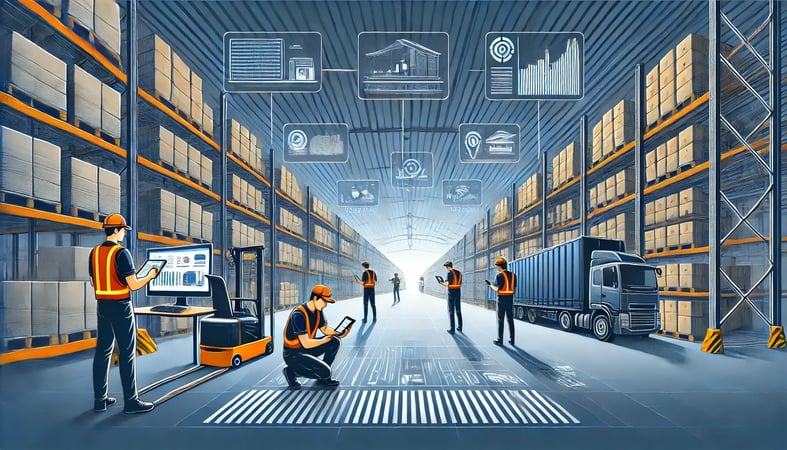
Warehouse management and inventory software in one system: real-time stock by location, the seven-stage warehouse management process flow, multi-warehouse routing, and automated pick, pack, and ship for eCommerce merchants.
SkuNexus Team
Warehouse management and inventory software is one system that directs the physical flow of goods through your building and keeps the stock record that everything else trusts. It tells your team where to put inventory when it arrives, where to find it when an order comes in, and confirms what left the building, while keeping a live count of every unit by location.
The reason to run warehouse management and inventory in a single platform, rather than a separate WMS bolted to a separate inventory tool, is that there is only one stock record. When a unit is received, picked, packed, shipped, or returned, the same record updates once. With two systems, that record lives in two places and drifts apart, which produces oversells on your storefront and a count on the screen that does not match the shelf. SkuNexus keeps inventory, warehouse, and order fulfillment on one record so receiving through shipping is the same source of truth, not three systems you reconcile at the end of the day.
Warehouse management software is the system that sits underneath the work. It directs the physical flow of goods through your building, from receiving and putaway through picking, packing, and shipping, and it keeps a live record of where every unit is. Good warehouse management software ties that floor activity to your inventory control and your order fulfillment so the numbers in your system match the boxes on your shelves.
This guide covers what a WMS actually does, how the warehouse management process flow works step by step, and how to choose one. I run SkuNexus, so I have a point of view, but most of what follows applies whether you pick us or not.
What Warehouse Management Software Actually Does
A merchant ships well at low volume because a few good people hold the whole operation in their heads. Then orders climb, a second location opens, a new channel goes live, and the informal system cracks. Picks slow down, counts drift, and the same item shows as in stock on the site and missing on the shelf. A WMS is the process, made repeatable. It tells your team where to put inventory when it arrives, where to find it when an order comes in, and how to confirm the right items left the building, recording each step so the next person does not have to ask around.
The core promise of a WMS is simple. The number in the system equals the count on the shelf, and you can trust it without walking over to check. When those two agree, you can promise accurate stock to customers, plan replenishment from real data, and route orders to the right location. SkuNexus handles order, inventory, and fulfillment management in one platform, and it is built to be customized, because no two warehouses run the same way.
The Warehouse Management Process Flow
Every warehouse runs the same seven stages, whether they are written down or carried in someone's head. A warehouse management system makes each stage repeatable and recorded. Here is the flow end to end, and what the software does at each step.
1. Receiving
Goods arrive against a purchase order. The system checks what physically showed up against what was ordered, flags shortages or overages, and updates the inventory count the moment a unit is scanned in. This is where most manual operations break first, because shipments get checked in by hand and the count is wrong before goods reach a shelf. The software replaces that with a scan-driven receiving step tied to the PO.
2. Putaway
Once received, stock has to go somewhere, and the system records exactly where. Directed putaway tells the worker which location to use, or lets you put a unit wherever there is space and capture that location by scan. Either way, the bin is now known, so the next person does not have to remember it. SkuNexus supports flexible putaway so the same SKU can live in more than one location while the system still knows the total on hand.
3. Storage and Cycle Counting
While stock sits, the system holds the live count by location. Cycle counting, which is small recurring counts of a subset of locations rather than one disruptive annual count, keeps that number honest. The software schedules the counts, presents the locations to verify, and reconciles any discrepancy against the record without shutting the floor down.
4. Picking
When an order comes in, the system generates a pick task: which units, from which locations, in what sequence. Guided picking walks the worker through the locations, and batch or wave picking groups multiple orders so one trip pulls for several at once. Each pick is confirmed by scan, which stops the wrong unit from leaving the shelf.
5. Packing
Picked items are verified against the order and packed. The system can apply packing rules you define, such as which box, which insert, or which handling instruction for fragile or regulated goods, and a scan-to-verify step confirms the contents match the order before the box is sealed. This is the last checkpoint before a mistake reaches the customer.
6. Shipping
The packed order needs a carrier and a label. The system selects the carrier and service by your rules, rate shopping across options or routing by speed or cost, prints the label, and posts the shipment. The inventory record decrements, tracking is captured, and the order status updates across your channels so the customer and your storefront both reflect it.
7. Returns and Reverse Logistics
A return is the flow in reverse. The system treats the inbound item as its own tracked workflow: it logs the return, routes the unit to inspection, and based on condition either restocks it, sends it for refurbishment, or scraps it. The inventory count and the customer's refund both update from the same record, so a returned unit does not vanish from your counts or get sold while it is still in inspection.
WMS, Warehouse Inventory Software, and ERP Modules: What Is the Difference?
These three terms get used interchangeably, and the overlap is real, but they solve the work from different starting points.
A warehouse management system (WMS) starts from the physical operation. Its job is to direct and record the flow on the floor, the seven stages above, so labor moves efficiently and the count stays accurate. A pure WMS is strong on putaway, picking, and slotting but often leaves order management and multi-channel inventory to another system. Warehouse inventory software starts instead from the stock record: it knows what you have and where, across locations and channels, but on its own may be weaker on labor direction, the actual pick paths and packing rules. An ERP warehouse module is the warehouse function living inside a larger enterprise resource planning suite that also runs finance, procurement, and HR, so warehouse data sits next to the financials, but a general-purpose ERP module is usually less flexible about eCommerce-specific fulfillment and multi-channel sync, which is why many merchants on an ERP still run a dedicated system for the warehouse and connect the two.
SkuNexus is built to span the first two. It runs the floor like a WMS and holds the unified stock record like inventory software, in one platform, and it connects to an ERP so the financial system stays in sync without forcing the warehouse to live inside it. For a deeper look at where the WMS boundary sits against order management, see OMS vs WMS.
See the receiving-to-shipping loop on your own warehouse
Wave picking, directed putaway, and barcode-driven workflows sized for teams shipping 50 to 20,000 orders a day. Across 76 recorded mid-market buying conversations, multi-warehouse operation came up in 55 of them (72 percent), which is usually the constraint that decides which system survives contact with the floor.
When you evaluate any WMS, including ours, these are the capabilities that determine whether it will hold up once volume climbs.
Real-Time Inventory Tracking
You should be able to see, at any moment, what you have and where it sits, down to the bin. Real-time inventory tracking in SkuNexus updates as goods are received, moved, picked, and shipped, so the count reflects what just happened on the floor. The payoff is fewer stockouts you did not see coming and less capital tied up in overstock. One of our customers, a firearms manufacturer, ran their warehouse manually before they came to us. We gave them their first real WMS, with barcode scanning, wave picking, directed putaway, and automated shipping, and the first thing that changed was that they finally knew, in the moment, what was on hand.
Multi-Warehouse Management
Once you add multiple warehouses, you need a system that treats them as one pool of inventory with known quantities in known places. SkuNexus brings every location into one view, so you can transfer stock, balance inventory, and route an order to the location that ships it fastest or cheapest. Graeter's came to us running three separate warehouses, and we unified them so orders route across all three from a single system instead of being managed apart.
Order Fulfillment
SkuNexus handles the full path from the moment a customer buys to the moment the carrier picks up, with picking, packing, and shipping following rules you define. A lifestyle retailer we work with consolidated five Shopify stores and roughly 4,700 monthly orders into one system after evaluating ShipHero, which let them fulfill from one place instead of juggling separate stores.
Running Orders Across More Than One Warehouse
Once you run several buildings, a rules engine decides which one ships each order, not a person. The SkuNexus Decision Engine evaluates your routing rules in priority order the moment an order arrives, using condition groups such as order value, SKU, or shipping method, and it writes a reviewable Decision Plan naming the warehouse, the method (ship, pickup, or drop-ship), and which items go where. Anything no rule matches waits in a review queue instead of shipping from the wrong building. A Decision Plan can also split one order across warehouses; since splitting costs a second box and label, when to split an order and when to hold it walks through that tradeoff. An ERP keeps the ledger of what each warehouse owns, but the call of which warehouse ships needs live sellable stock, carrier service levels, and pick capacity, not an accounting balance, so keep the ERP as the financial record and let the warehouse and order management layer own the routing call.
Integrating a WMS with the Rest of Your Stack
A warehouse system does not stand alone. It has to exchange data with your storefronts, your accounting, and whatever else runs your business, or you end up re-keying the same information in three places. Your online store, in-store POS, and marketplace listings all sell from the same physical inventory, so they need one source of truth for stock. SkuNexus connects to a wide range of e-commerce platforms, retail POS systems, and online marketplaces and keeps inventory levels aligned across all of them, which prevents the two failures merchants hate most: overselling stock you do not have and hiding stock you do. For most mid-market merchants the WMS also has to sit alongside an ERP and other supply chain tools, and SkuNexus connects to those systems so data moves between procurement, the warehouse, and shipping without manual hand-offs. Once a WMS records every receipt, pick, and shipment, that history becomes useful: reporting lets you look at sales trends, inventory turnover, and fulfillment metrics, and build the reports your operation actually needs.
Improving Efficiency and Reducing Costs
The work worth automating is the high-volume, low-judgment work: receiving, putaway direction, pick batching, label printing, carrier selection. SkuNexus can run those steps by rule instead of by hand, so tasks that took hours run in minutes and the small data-entry errors that turn into wrong shipments mostly disappear. The party-supplies wholesaler we work with carries more than 20,000 SKUs, and at that scale the exceptions are the hard part. We built a warehouse exception-handling system for them that no other WMS offered, because their volume made the edge cases a daily reality.
Inefficient inventory management ties up cash in stock you do not need and eats labor hours in counting, searching, and fixing mistakes. A WMS attacks that on two fronts: more accurate counts mean you carry less excess stock, and forecasting from real history means you reorder closer to actual demand. I am careful not to promise a specific number, because the savings depend on how your operation runs today. Warehouse work also happens away from a desk, so SkuNexus supports a mobile workflow that lets your team receive, pick, and check stock from a handheld device, with updates that post in real time.
Implementing a WMS Without Blowing Up Your Operation
Switching warehouse systems is the part merchants fear most, and they are right to take it seriously. A bad cutover can stop shipping, and a warehouse that cannot ship is losing money by the hour. A good implementation is planned in steps, not flipped on overnight. You map your current process, configure the system to match it, test against real orders, and move over in a controlled way so the floor keeps running. I am wary of anyone who tells you a warehouse migration is effortless. Our guide to warehouse management systems breaks down realistic implementation timelines stage by stage.
The best-configured system still fails if the team on the floor does not trust it, which is why training matters as much as the software. SkuNexus comes with training resources and a support team, so your staff learns the system on real workflows. On the build-versus-buy question, building one is rarely cheaper, because the code is the small part. Barcode hardware, carrier and channel integrations, permissions, and the reports your team asks for a month after launch consume the year, and each needs an owner forever. The better question is how much of a bought system you are allowed to change: source-code-level customization gives you the workflows you would have built without the maintenance you would have inherited.
What Merchants Did With SkuNexus
Graeter's Ice Cream Automates 100% of Orders with Custom Functionality
Graeter's Ice Cream, a century-old name in the ice cream industry, was managing multiple warehouses with scattered inventory data and manual fulfillment, and in their business a delay in order processing can mean melted product. SkuNexus automated the full order management process with real-time inventory tracking, automated packing, and workflows connected to their Magento storefront. Graeter's now handles 100% of their orders automatically, reports a 100% increase in eCommerce ice cream sales with over 550,000 pints shipped annually, and is opening a new fulfillment center built around SkuNexus.
Carewell Optimizes Branded Dropshipping Operations With SkuNexus
Carewell, an eCommerce retailer specializing in home health products, needed an order management system that worked with their BigCommerce platform, automated dropshipping, and improved order accuracy as they added vendors. SkuNexus automated their dropshipping operations, improved vendor communication, and gave them real-time inventory visibility. Carewell ranked among the fastest-growing private companies in America and improved order accuracy and fulfillment times as they scaled.
New Look Automates Fulfillment and Unifies Order Management With SkuNexus
New Look Vision Group Inc., Canada's largest eyewear retailer, hit a wall as their eCommerce business grew because manual fulfillment could not keep up. SkuNexus connected to their Magento 2 platform, automated the pick, pack, and ship process, and adapted as the business grew. New Look increased online sales, improved fulfillment efficiency, and reduced operational costs; the project went from initial analysis to go-live in nine months, and they now run an OMS that grows with them.
There are more stories on our customers page, including a family-owned Nebraska kitchen-equipment company, Pleasant Hill Grain, that replaced spreadsheets and guesswork with a real warehouse management system.
Warehouse Management and Inventory Software FAQ
What is warehouse inventory software?
Warehouse inventory software tracks what you have and where it sits, down to the bin, and keeps that count accurate as stock is received, moved, picked, and shipped. When it is combined with warehouse management in one platform, it also directs the work on the floor, not just the count, so the stock record and the physical operation stay in agreement on a single source of truth.
What is the difference between a WMS and inventory management software?
A WMS starts from the physical operation and directs labor through receiving, putaway, picking, and shipping. Inventory management software starts from the stock record and focuses on knowing what you have across locations and channels. They overlap heavily, and the strongest setup for an eCommerce merchant runs both on one platform so a single count is updated directly by the floor work, rather than two systems that drift apart and cause oversells.
What is the warehouse management process flow?
The warehouse management process flow has seven stages: receiving, putaway, storage and cycle counting, picking, packing, shipping, and returns. A warehouse management system makes each stage repeatable and records it, so the count stays accurate from the dock to the customer's door.
Do small warehouses need a WMS?
A small warehouse can run on spreadsheets and good people until volume, a second location, or a new sales channel breaks the informal system. You need a WMS when the cost of errors and reconciliation starts to outweigh the cost of the system, usually when counts drift, picks slow down, or the storefront and the shelf stop agreeing. The question is less about warehouse size and more about whether your process can scale without one.
Can warehouse software handle multiple warehouses on one record?
Yes, when the platform treats every location as part of one inventory pool rather than separate spreadsheets per site. That means real-time stock visibility across all locations, rules that route each order to the best warehouse by availability, proximity, or shipping cost, and transfer tracking between sites. SkuNexus unifies multiple warehouses into one view, so orders route across all locations from a single system.
Getting Started
A good warehouse management system turns a warehouse that depends on specific people into one that runs the same way every shift. If your operation has outgrown spreadsheets and tribal knowledge, the question is no longer whether you need a system, but which one fits how you actually work. The honest first step is a conversation about how you run today. Bring us your messiest workflow and we will show you how it would run in SkuNexus. Book your demo today and we will walk your operation together.
About The Author
Yitzchak Lieblich, known to most people as Yitz, is the founder and CEO of SkuNexus, a fully customizable warehouse management software platform for mid-market eCommerce merchants. He has spent more than two decades in eCommerce and supply chain, and has walked the floors of hundreds of warehouses. That firsthand experience shapes how SkuNexus is built, around the way merchants actually run rather than the way software wishes they would.