Multichannel Inventory Management: A Practical Guide for Growing Businesses

-
What Is Multi-Channel Inventory Management?
Why Multi-Channel Inventory Management Matters
One Product, Many Listings
The Failure Nobody Predicts: SKUs That Do Not Match
Multi-Channel Inventory Sync
Holding Stock Back From One Channel Without Hiding It From The Rest
A Retail Register And A Web Store On One Count
More Than One Warehouse
Stock You Have Paid For But Cannot Pick Yet
Returns Put Stock Back Into The Same Pool
What This Looks Like On The Floor
Multi-Channel Inventory Best Practices
The Metrics Worth Watching
Choosing A System
Multi-Channel Inventory Management FAQ
Quick Summary
Multichannel inventory management keeps stock coordinated across your website, marketplaces and stores. Here, I explain how shared inventory works, what to check when choosing software and how SkuNexus connects channel sales with inventory, warehouse work and shipping.
Why Listen To Us?
I’ve worked in eCommerce since 2007 and founded SkuNexus in 2018. We’ve helped merchants connect inventory, orders and warehouse work as their operations grow. Graeter’s Ice Cream uses SkuNexus across three warehouses and increased annual shipments from 270,000 to more than 550,000 pints without adding order-processing staff.
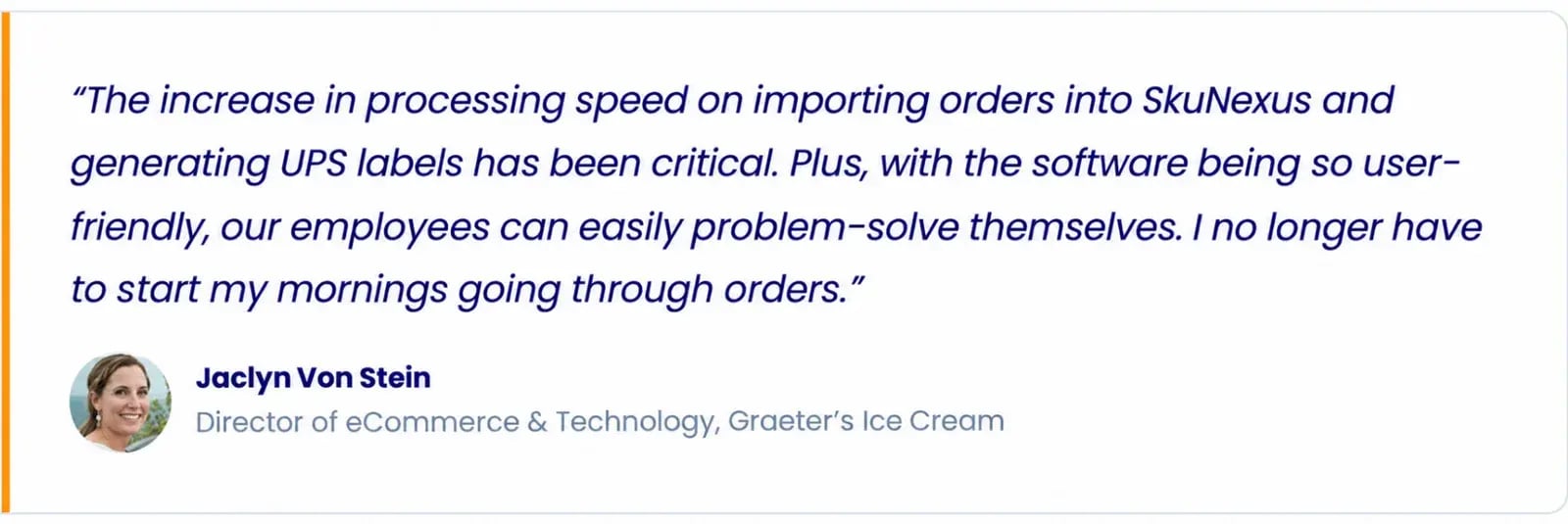
This guide draws on what we’ve learned helping merchants manage inventory and fulfillment across channels and warehouses.
Are Your Sales Channels Promising the Same Stock?
A picker goes to the shelf and finds two units. The order needs three. Your website accepted the sale, but a marketplace order had already claimed the stock. Someone now has to untangle what happened and call a customer.
I’ve seen how much work goes into keeping those numbers straight. In our review of 78 software buying conversations, buyers mentioned spreadsheets or manual work in 44. Often, someone is checking dashboards and deducting quantities by hand because the systems don’t share enough information.
In this guide, I’ll cover how to keep stock accurate across your sales channels, what can go wrong and what to look for when choosing software. We’ll focus on merchants selling through several channels and fulfilling orders from their own warehouses.
What Is Multichannel Inventory Management?
Multichannel inventory management means keeping track of stock across the places you sell, so an order on one channel changes what’s available on the others. Your website, marketplaces and wholesale orders can draw from the same inventory while accounting for stock already committed elsewhere.
Whether you fulfill those orders from one warehouse or several, you need to know which locations can supply each channel. Stock held for wholesale customers shouldn’t automatically show as available on your website.
The same inventory information can also let a customer buy online and pick up in store. This is where omnichannel inventory management comes in. It connects stock availability across channels so customers can shop through one and collect or return through another.
See one stock count across your own channels
If you sell on more than one storefront, marketplace or register, we will show how SkuNexus keeps one count across them, using your channels and SKUs rather than a stock dataset.
How Multichannel Inventory Management Works
Connect each listing to the right product
A blue shirt might be SHIRT-BLU on your website and BLU-TEE on a marketplace. Both listings need to point to the same warehouse product so orders reserve stock from the same record. The SKUs don’t have to match, but the mapping must be correct. If a listing isn’t mapped, the system should flag it for review before the order reaches picking.
Account for stock when an order arrives
An order doesn’t remove anything from the shelf yet, but it does claim stock. If you have 100 units and an order reserves three, on-hand stays at 100 while available stock drops to 97, assuming no other commitments. Waiting until shipment to record that commitment leaves those three units available for another customer to buy. Once they ship, on-hand drops to 97 and the reservation clears.
Update availability across channels
There are two timings to watch. First, how long does a website or marketplace order take to reach your inventory system? Then, once stock is reserved, how long before the other channels receive the new available quantity?
An order can arrive quickly while the stock update waits for a scheduled sync. During that gap, another channel may still offer units already claimed. Check both timings for every connection.
Keep warehouse changes reflected in availability
Let’s say a delivery has arrived, but the pallets are still waiting to be checked. You don’t want every channel selling that stock yet. The same goes for a return sitting on the inspection bench.
Transfers also need care. Once stock leaves one warehouse, it shouldn’t look ready to pick at either building while it’s on the truck. And if a count turns up two fewer units than expected, that correction needs to reach the channels selling them.
See the product
One stock count for every channel
Each product keeps one count, every store and marketplace gets its own listing, and a sale on one channel updates the rest.
Where Multichannel Inventory Goes Wrong
Product identifiers don’t match
Let’s look at an instance where a SKU gets changed on the website, but its connection to the warehouse product doesn’t get updated. The next order may fail to import because the system can’t match it. If the identifier points to the wrong product, the order could reach picking with the wrong item attached.
An empty SKU can leave an order stuck outside the system, with nothing reaching the warehouse. A clear import error gives your team something to investigate before the dispatch deadline passes.
Updates arrive late or fail
Your inventory system may correctly show an item as sold out while a marketplace still lists five available. The stock update could be waiting for the next sync, or the connection may have rejected it. Either way, customers can still order those five units. Checking the central count won’t reveal the whole problem. You need to see whether the channel received and accepted the update.
Bundles compete with individual products
A bundle can sell without reducing the available stock of the items inside it. When those items also sell separately, you can promise the same units twice. If you have ten mugs sold individually or in gift sets, selling three gift sets with one mug each commits three of those mugs. That leaves seven mugs available, but if the stock records aren’t linked, the individual listing could still offer all ten.
Different customers compete for the same stock
Ask how much of the stock on your shelf is actually free to sell. A wholesale order might not ship until next week, but its units still need protecting from today’s website orders. The same applies to stock held for a promotion or walk-in customers. If every channel sees the full count, those plans can unravel before anyone picks an order. The system needs to account for what you’ve set aside.
How to Keep Inventory Accurate Across Channels
- Decide which system controls stock
If someone corrects a count in your inventory system while a colleague changes it on the website, which number wins? Decide that before connecting more channels.
Choose one system to hold the stock record. Record receipts, count corrections and other adjustments there, then send the resulting available quantities to your sales channels. Otherwise, a well-intended fix on one channel can be overwritten by the next update.
- Set rules for shared stock and commitments
Buffers and listing caps control how much stock a channel can offer. A buffer holds back a few units to reduce overselling risk, while a cap sets the maximum quantity shown. But protecting a wholesale commitment needs a reservation tied to that order or customer, so those units stay unavailable to other buyers.
For retail and website sales, pool stock if both can draw from the same shelf. If your shop needs five units for walk-in customers, exclude those from website availability and share the rest.
- Keep physical counts reliable
Barcode scans at receiving, putaway and picking help record what moves. Back those up with cycle counts, giving fast-selling items and products with repeated discrepancies more frequent checks.
When a count is off, check nearby bins, open picks and recent receipts before changing the record. The missing units may be on a packing bench or put away in the wrong location. Adjusting the number without checking can hide the cause and leave someone fixing it again next week.
- Give failed updates a clear next step
A “sync failed” message doesn’t tell your team enough. They need to see which channel, order or product was affected, when it failed and what the error was. Assign someone to check those failures, with a clear route to support when needed.
After fixing the cause, confirm the missing order arrived or the channel shows the correct quantity. A successful retry is useful, but checking the result tells you whether the problem is resolved.
How to Choose Multichannel Inventory Management Software
There’s more to choosing multichannel inventory software than checking which channels it supports. Here’s what I’d recommend you look at to see whether it can handle your day-to-day work.
Understand which type of system you need
You’ll come across three broad types of systems when looking for multichannel inventory software. The right fit depends on how much of your operation you need it to manage.
- Listing and inventory-sync tools connect product listings, orders and quantities across channels. They may cover what you need if warehouse work is already handled elsewhere. Check where their responsibility ends.
- ERP inventory modules manage stock within a broader business system, often alongside purchasing and accounting. If you already use an ERP, check whether its inventory workflows fit your warehouse or whether a connected operations platform would serve you better.
- Configurable inventory, order and warehouse platforms like SkuNexus connect stock records with receiving, routing, picking, packing and shipping. Explore these when you need one system to carry orders through fulfillment and accommodate rules your current tools can’t handle.
Confirm how each channel connects
A channel on an integrations list might connect directly, through another platform or by scheduled file transfer. Ask which route your orders and stock updates will take, and how long each takes to arrive. In our 78 software buying conversations, buyers raised integrations or APIs in 58, so this deserves more than a checkbox.
Follow the connection into daily operations
Follow an order beyond the import screen. If stock is short, can your team trace what’s on purchase orders and receive it against the right items? Once it’s ready, check how the order reaches picking, packing and shipping, then how shipment details return to the sales channel. Confirm which inventory and sales records pass to accounting as well. Any gap is work someone on your team will have to handle.
Test your actual inventory requirements
Bring examples from your own catalog and ask the vendor to run them through the system:
- Connect different channel SKUs to one product, then sell it individually and in a bundle. Check that both orders reserve the same component stock.
- Reserve units for a wholesale order and check what remains available to website customers.
- Confirm which warehouses supply each channel, then adjust a count and follow the revised quantity through.
- Inspect a failed import or stock update. Check how your team would find the cause, retry it and confirm recovery.
- Test permissions. A warehouse employee may need to correct a count without being allowed to release reserved stock or change channel settings.
How SkuNexus Connects Multichannel Inventory With Fulfillment
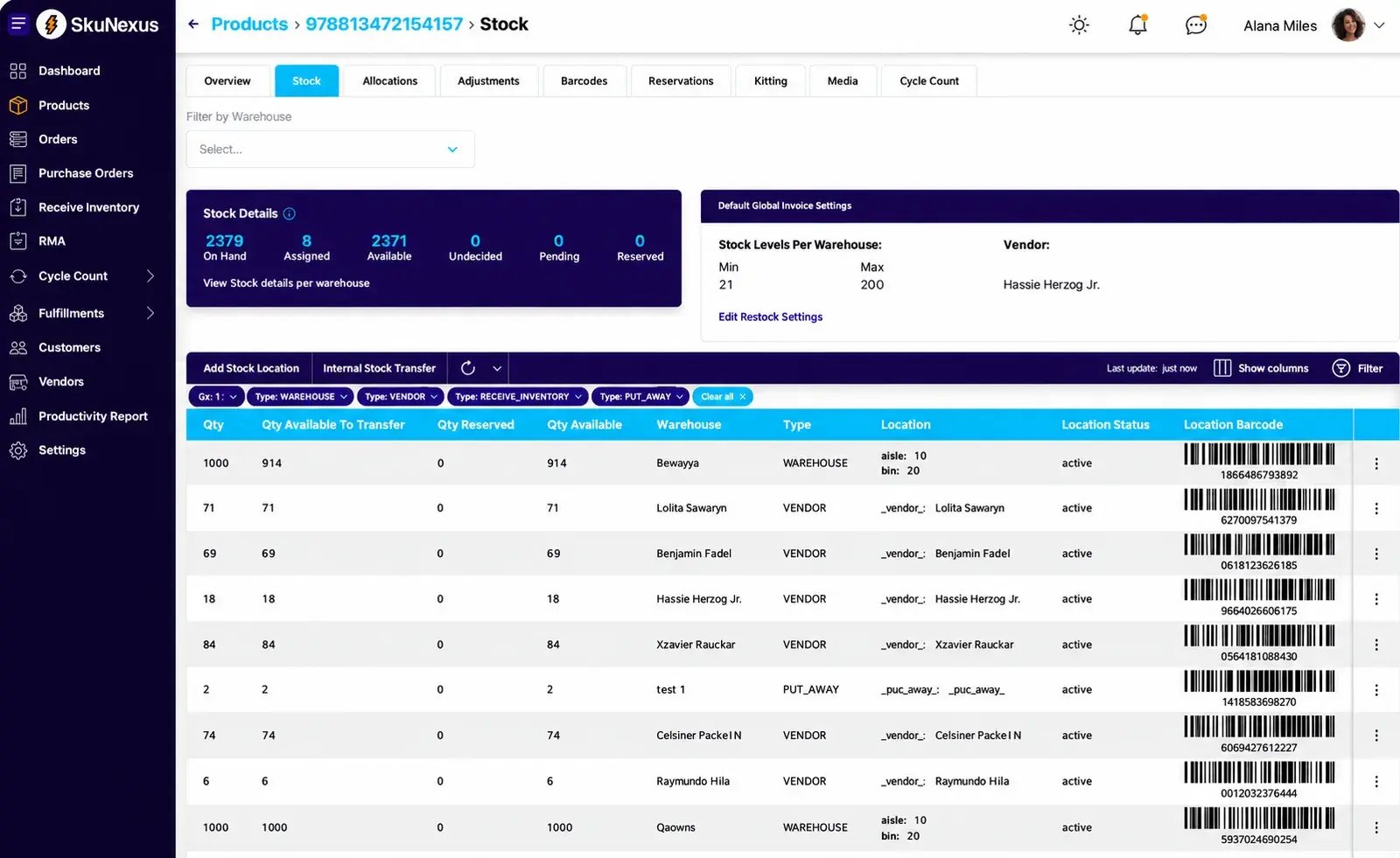
SkuNexus keeps one record for each product, linked to the listings on your sales channels. Stock is tracked by warehouse and bin, and you decide which locations supply each channel. That lets your website show a combined available quantity while your warehouse team knows where to pick the items.
From there, orders move through picking, packing and shipping in the same system. Staff scan items at the packing station, confirm the package details and print the label. Shipment details then go back to the channel the order came from.
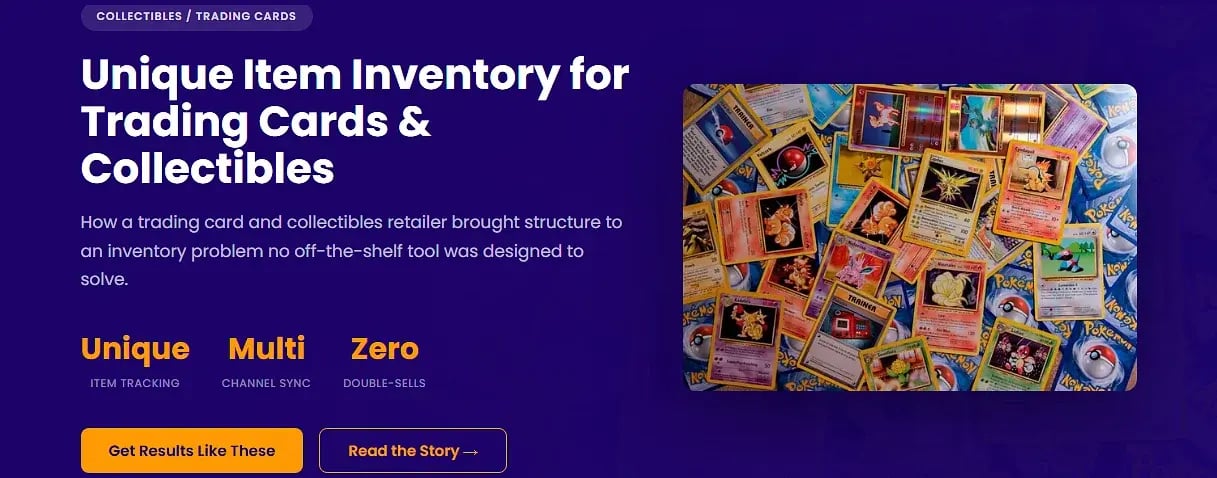
We can configure those connections as your operation changes. One collectibles retailer started with its shop and website drawing from the same stock. As the shop grew, it needed inventory kept aside for retail customers. We changed the setup so only warehouse stock fed the website’s availability, leaving the shop’s counts separate.
We’ll also look at how each channel connects. Shopify, BigCommerce, Magento, WooCommerce, Shopware and Walmart Marketplace have connectors. Amazon and eBay don’t have direct adapters, so their orders come through a storefront marketplace feed or scheduled SFTP files. During scoping, we’ll confirm how orders arrive, how stock updates get back and how long each takes.
Let’s Work Through Your Multichannel Setup
Show us your channel list, one product they all sell and an exception your team handles by hand. We’ll use those examples to show how SkuNexus would share stock, process orders and guide fulfillment for your operation. Book a demo and talk through the details with our team.
FAQs
What’s the difference between multichannel and omnichannel inventory management?
Multichannel inventory management keeps track of stock across your website, marketplaces and stores. Omnichannel connects those channels so a customer can place an order online and pick it up at a store, for example. Software vendors often use the terms interchangeably, so ask whether the system supports the way you want to sell and fulfill orders.
Do I need multiple warehouses to use multichannel inventory software?
No. If your website and a marketplace sell stock from the same warehouse, you already have inventory to coordinate across channels. The software keeps those sales tied to one stock record, so your team doesn’t have to update each channel separately.
Will multichannel inventory software stop me from overselling?
It can help, but stock updates take time. If your website and a marketplace both sell the last unit before their quantities update, you could still receive two orders. Ask how quickly the software reserves stock and sends updates, and how you’ll know if an update fails. Keeping a few units aside as a stock buffer can help cover that gap.
How do I track an item I sell on its own and in a bundle?
Link the bundle to the items inside it. If a gift set contains a mug and a bag of coffee, selling one set should reserve one of each. Selling a mug on its own should also reduce how many gift sets are available. The warehouse team should then get clear instructions on which items to pick.
Can I keep my accounting system when I add multichannel inventory software?
Yes, as long as the inventory software can connect to it. Check what information passes between the two systems, how often it updates and who fixes any problems. With SkuNexus, you can keep a supported accounting system for your books while managing inventory, orders, warehouse work and shipping. We’ll confirm the connection details during scoping.